Chapter 9: Data Import
Audience: media buyers, campaign managers
Cat-Scan's analysis depends entirely on performance data from Google Authorized Buyers. Since Google provides no Reporting API, all data comes from CSV exports. This chapter explains how to get data into Cat-Scan and how to verify it's arriving.
Why this matters
Without imported data, Cat-Scan has nothing to analyze. The funnel, waste views, creative performance, and optimizer all depend on fresh CSV data. If your data is stale, your decisions are based on old information.
Two ways data arrives
1. Manual CSV upload (/import)
Drag and drop a CSV file exported from Google Authorized Buyers.
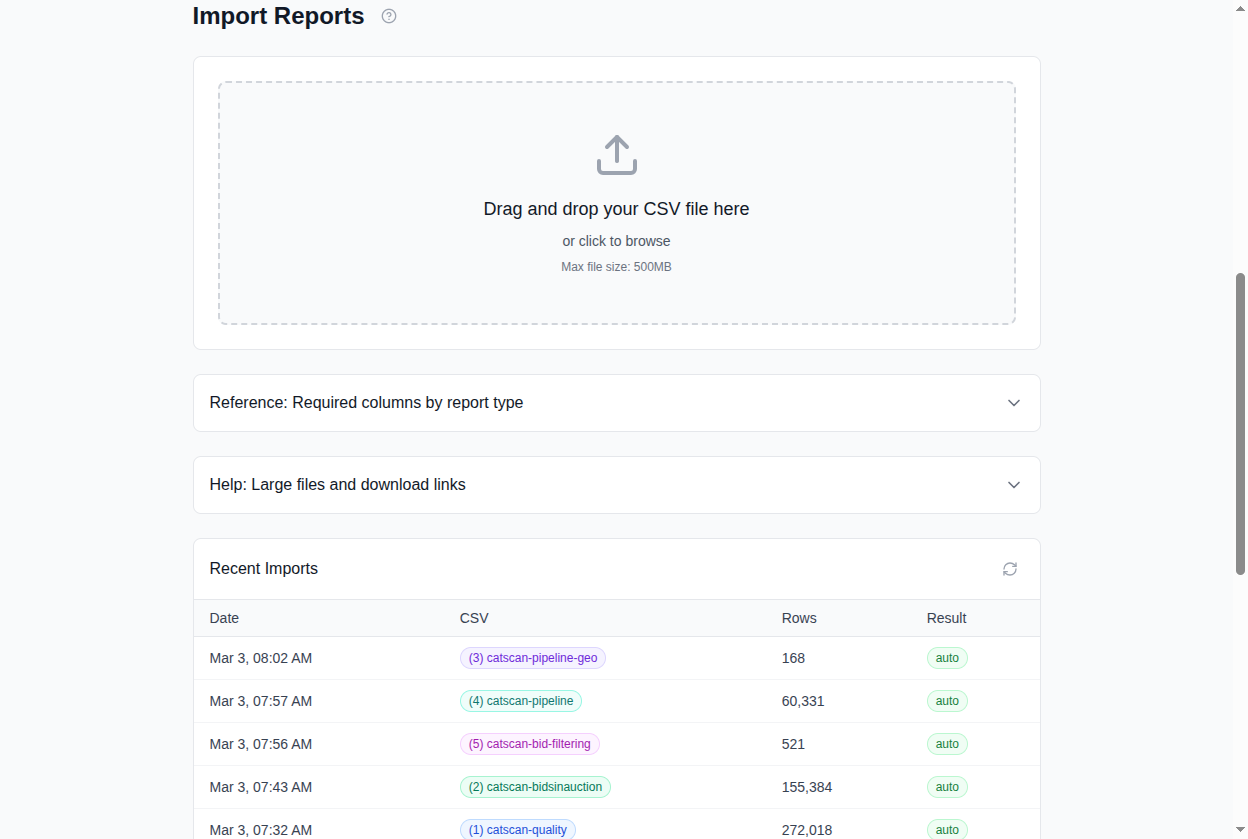
Workflow:
- Export the report from your Google Authorized Buyers account.
- Go to
/importin Cat-Scan. - Drag the file into the drop zone (or click to browse).
- Cat-Scan auto-detects the report type and shows a preview:
- Required columns vs. found columns
- Row count and date range
- Any validation errors
- Review the preview. If columns need remapping, use the column mapping editor.
- Click Import.
- Progress bar shows upload status. Files over 5MB are uploaded in chunks automatically.
- Results show: rows imported, duplicates skipped, errors if any.
Report types detected automatically:
| Type | CSV name pattern | What it contains |
|---|---|---|
| bidsinauction | catscan-report-* |
Daily RTB performance: impressions, bids, wins, spend |
| quality | catscan-report-* (quality metrics) |
Quality signals: viewability, fraud, brand safety |
| pipeline-geo | *-pipeline-geo-* |
Geographic breakdown of bidstream |
| pipeline-publisher | *-pipeline-publisher-* |
Publisher domain breakdown |
| bid-filtering | *-bid-filtering-* |
Bid filtering reasons and volumes |
2. Gmail auto-import
Cat-Scan can automatically ingest reports from a connected Gmail account.
- Google Authorized Buyers sends daily reports by email.
- Cat-Scan's Gmail integration reads these emails and imports the CSV attachments automatically.
- Check status at
/settings/accounts> Gmail Reports tab, or via/gmail/statusin the API.
To verify Gmail import is working:
- Check the Gmail Status panel: last_reason should be running.
- Check unread count: a large number of unread emails may indicate the
import is stuck.
- Check the import history for recent entries.
Data freshness grid
The data freshness grid (visible on /import and used by the runtime health
gate) shows a date x report-type matrix:
              bidsinauction   quality   pipeline-geo   pipeline-publisher   bid-filtering
2026-03-02    imported        missing   imported       imported             imported
2026-03-01    imported        missing   imported       imported             imported
2026-02-28    imported        imported  imported       imported             imported
...
- imported: Cat-Scan has data for this date and report type.
- missing: no data found. Either the report wasn't exported, wasn't received by Gmail, or import failed.
Coverage percentage summarizes how complete your data is across the lookback window. The runtime health gate uses this to determine if the system is operational.
Deduplication
Re-importing the same CSV (or having Gmail re-process the same email) does not double-count data. Each row is hashed, and duplicates are skipped on insert. This means it's always safe to re-import.
Import history
The import history table on /import shows the last 20 imports:
- Timestamp
- Filename
- Row count
- Import trigger (manual upload vs. gmail-auto)
- Status (complete, failed, duplicate)
Troubleshooting
| Problem | What to check |
|---|---|
| "Missing" cells in freshness grid | Was the report exported from Google on that date? Check Gmail for the email. |
| Import fails with validation error | Column mismatch. Check the required columns table against your CSV. |
| Gmail import shows "stopped" | Check /settings/accounts > Gmail tab. May need to restart or re-authorize. |
| Coverage percentage dropping | Reports are arriving but for fewer dates than expected. Check the export schedule in Google AB. |
Related
- Understanding Your QPS Funnel: depends on imported data
- Reading Your Reports: what you can do with the data once imported
- For DevOps: data-freshness query internals and troubleshooting, see Database Operations and Troubleshooting.