Chapter 4: Analyzing Waste by Dimension
Audience: media buyers, campaign managers
Once you know how much waste you have (from the funnel), these three views tell you where it comes from.
Geographic waste (/qps/geo)
Shows QPS consumption and performance by country and city.
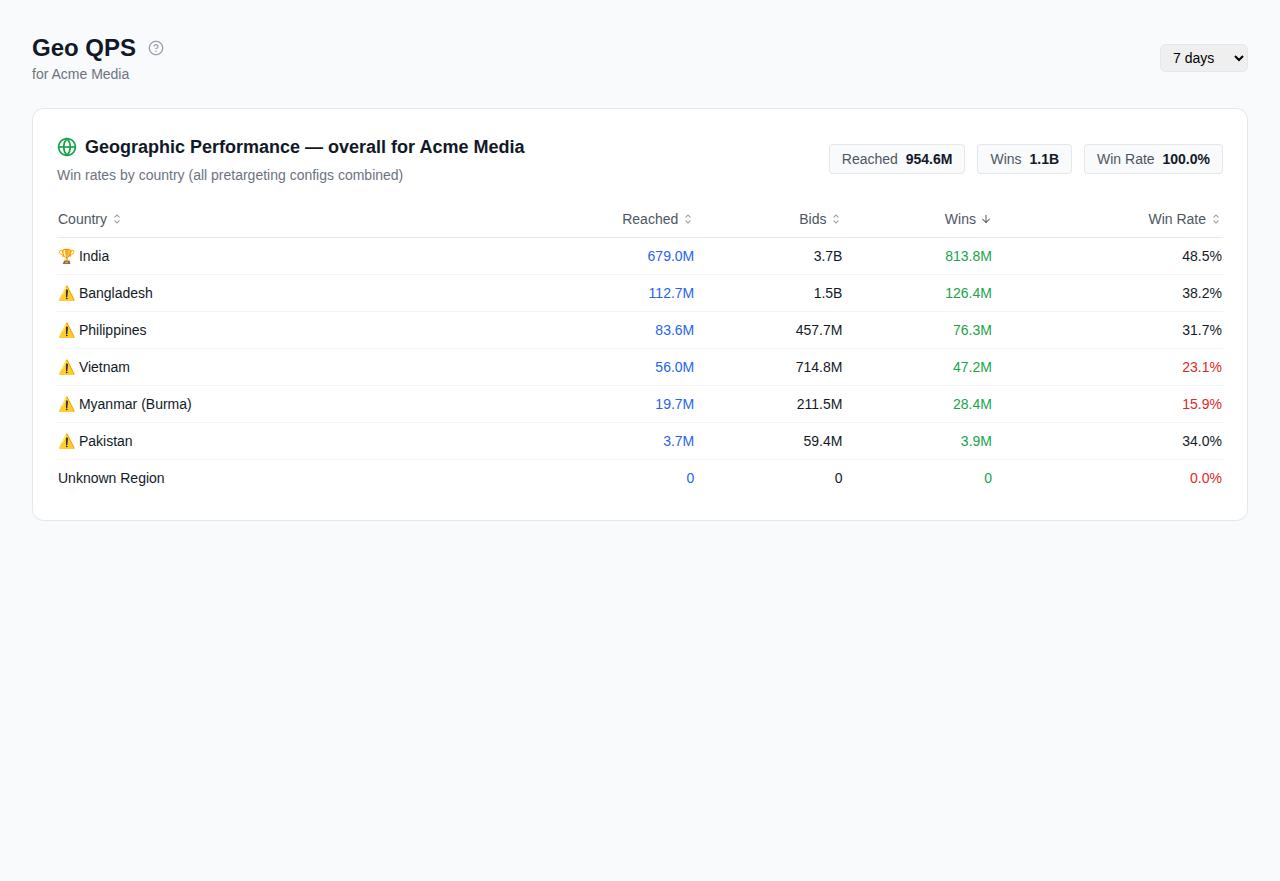
What to look for: - Countries with high QPS but zero or near-zero wins. Google is sending you traffic from regions your buyers don't target. - Cities with disproportionate QPS share but low spend, meaning long-tail geos that add volume but no value.
What to do about it: - Add underperforming geos to your pretargeting exclusion list. See Pretargeting Configuration.
Controls: Period selector (7/14/30 days), seat filter.
Publisher waste (/qps/publisher)
Shows performance broken down by publisher domain or app.
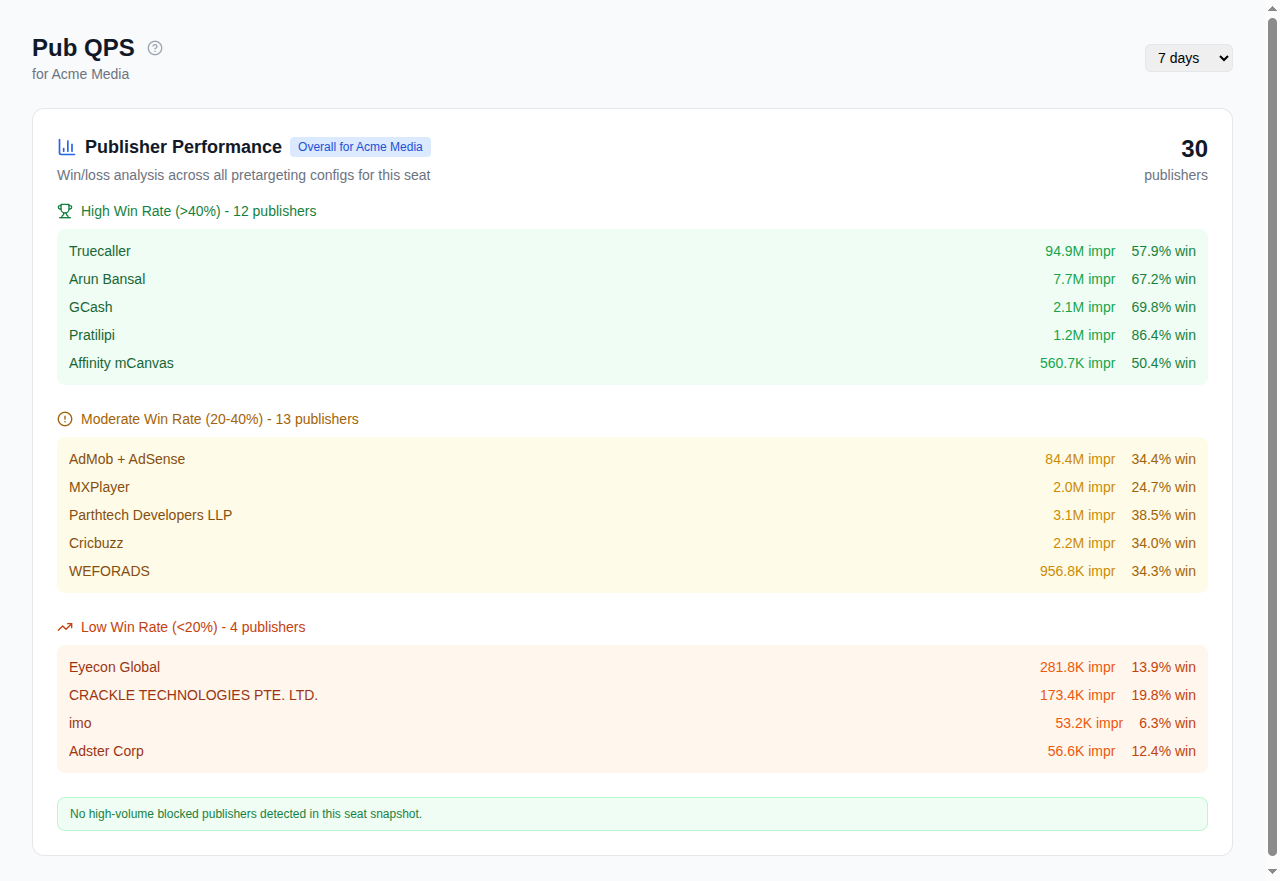
What to look for: - Domains with high bid volume but zero impressions. Your bidder spends compute on inventory that never renders. - Apps or sites with abnormally low win rates. You're bidding but consistently losing, which means you're wasting bid evaluation time. - Known low-quality domains.
What to do about it: - Block specific publishers in your pretargeting config's deny list. Cat-Scan's publisher editor makes this simpler than the Authorized Buyers UI.
Controls: Period selector, geo filter, search by domain.
Size waste (/qps/size)
Shows which ad sizes receive traffic and whether you have creatives for them.
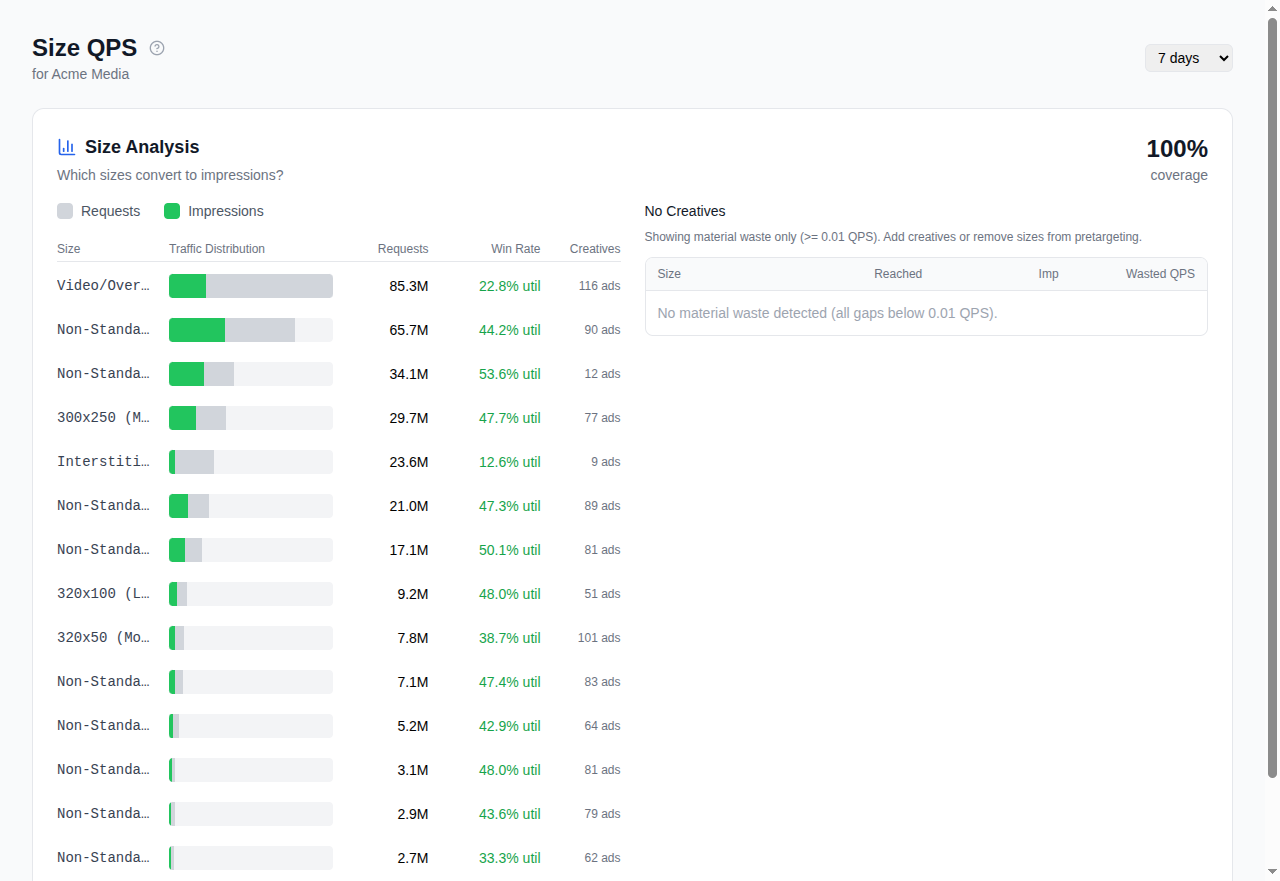
What to look for: - Sizes with high QPS but no matching creative. Google sends ~400 different ad sizes. If you run fixed-size display ads (not HTML), most of those sizes are irrelevant. Every request for an unmatched size is pure waste. - Sizes with creatives that underperform. Consider whether the creative assets are appropriate for that format.
What to do about it: - Add irrelevant sizes to your pretargeting's excluded sizes list. This is the single highest-leverage optimization for display buyers.
Controls: Period selector, seat filter, coverage breakdown chart.
Combining dimensions
The three views are complementary. A typical optimization cycle:
- Check geo: exclude countries you don't need.
- Check publisher: block domains that waste bids.
- Check size: exclude sizes with no matching creative.
- Apply changes via Pretargeting Configuration with dry-run preview.
- Wait one data cycle (typically one day) and re-check the funnel.
Related
- Understanding Your QPS Funnel: the starting point
- Pretargeting Configuration: acting on waste findings
- Reading Your Reports: tracking the impact